


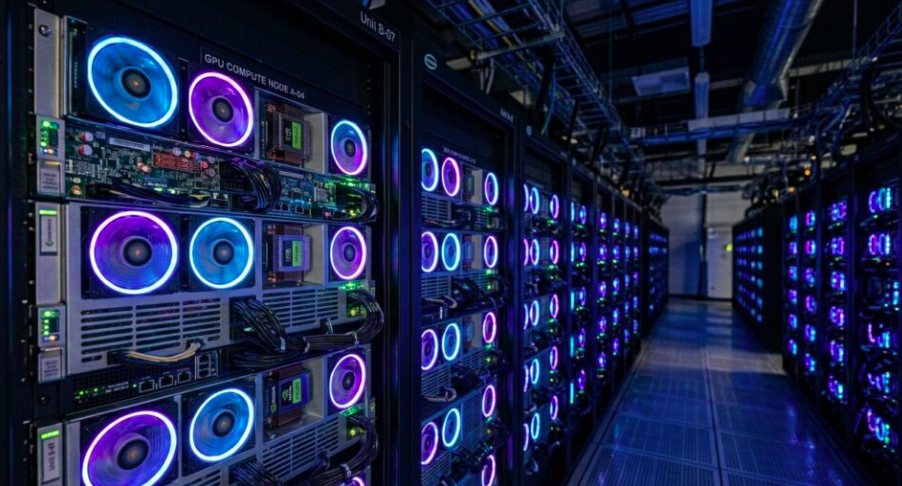
Artificial intelligence has moved from experimental side projects to core business infrastructure in a remarkably short span of time, and the hardware decisions IT teams make today will shape their organization’s AI capabilities for years to come. At the center of every serious machine learning initiative sits one critical component: the graphics processing unit. Choosing the right GPUs for AI workloads is no longer a niche concern reserved for research labs. It is now a mainstream procurement challenge facing IT buyers across nearly every industry.
If your organization is planning to train custom models, fine tune large language models, or run heavy inference pipelines, the decision to buy GPU for AI training rig setups deserves careful scrutiny. A poorly matched GPU can bottleneck an entire project, waste budget, and leave teams waiting days for results that should take hours. On the other hand, the right hardware investment can dramatically accelerate development cycles and give your organization a genuine competitive edge. This guide walks through the practical considerations IT buyers need to weigh before committing to a training rig build.
Why GPUs for AI Workloads Matter More Than Ever
Traditional CPUs process instructions sequentially, which makes them excellent for general computing tasks but poorly suited for the massive parallel math operations that neural networks require. GPUs, by contrast, were designed from the ground up to handle thousands of simultaneous calculations, which is exactly what deep learning training demands. As models have grown larger and datasets more complex, the gap between CPU and GPU performance for AI tasks has only widened.
Because of this, GPUs for AI workloads have become the default computational backbone for everything from computer vision systems to natural language processing tools. Whether your team is training a model from scratch or fine tuning an existing foundation model, the GPU you select will directly determine training speed, model size limitations, and overall project timelines. Understanding this relationship early helps IT buyers avoid costly mismatches between hardware capability and workload demands.
Understanding the Core Specs That Define GPUs for AI Workloads
Before comparing specific models, it helps to understand which specifications actually matter for training performance. Not every spec on a data sheet translates into real world speed gains, so knowing where to focus your attention will save both time and money during procurement.
Memory Bandwidth and VRAM Capacity
VRAM capacity determines how large a model and batch size you can fit onto a single GPU without running into out of memory errors. Training large models often requires storing not just the model weights but also gradients, optimizer states, and activations, all of which consume memory simultaneously. Consequently, buyers working with large language models or high resolution image data should prioritize GPUs with generous VRAM, often 40GB or more for serious workloads.
Memory bandwidth is equally important, since it governs how quickly data can move between memory and the processing cores. A GPU with high compute power but limited bandwidth will often sit idle waiting for data, undermining the very performance gains you paid for. When evaluating GPUs for AI workloads, always look at bandwidth figures alongside raw compute numbers rather than in isolation.
Compute Architecture and Tensor Cores
Modern GPUs designed for AI include specialized tensor cores that accelerate the matrix multiplication operations central to deep learning. These cores can deliver significant speedups over standard CUDA cores when properly utilized by your training framework. Newer architectures also introduce support for lower precision formats, such as FP8 and mixed precision training, which can nearly double throughput while maintaining acceptable model accuracy.
IT buyers should confirm that their chosen framework, whether PyTorch, TensorFlow, or a custom pipeline, fully supports the precision modes offered by the GPU architecture under consideration. Buying cutting edge hardware only to discover your software stack cannot take advantage of its features is a common and avoidable mistake.
Interconnect and Scalability
For organizations planning multi GPU training setups, the interconnect technology linking GPUs together matters just as much as individual card specifications. High speed interconnects allow GPUs to share data efficiently during distributed training, reducing communication bottlenecks that would otherwise slow down large scale jobs. If your roadmap includes scaling beyond a single card, factor interconnect bandwidth into your evaluation from the start rather than treating it as an afterthought.
Choosing the Right GPUs for AI Workloads Based on Your Training Goals
Not every organization needs the same hardware, and matching your purchase to actual workload requirements is one of the most valuable exercises an IT buyer can undertake. Overspending on enterprise grade accelerators for lightweight experimentation wastes budget, while underspending on hardware for production scale training creates painful bottlenecks down the road.
Small Team Prototyping vs Enterprise Scale Training
Small teams focused on prototyping, running proof of concept models, or fine tuning smaller pretrained models can often achieve excellent results with a single high end consumer or prosumer GPU. These setups are more affordable, easier to maintain, and sufficient for iterative development where rapid experimentation matters more than raw scale.
Enterprise teams training foundation models from scratch, or fine tuning models with billions of parameters, generally require data center class GPUs with substantially more memory, faster interconnects, and support for multi node clusters. These systems come with a much higher price tag, but they also unlock training runs that would be simply impossible on consumer hardware. Understanding which category your organization falls into is the single most important step before finalizing any purchase.
Power, Cooling, and Infrastructure Considerations
GPUs built for AI training draw significant power and generate substantial heat, and this reality often catches IT buyers off guard during initial planning. A rig housing multiple high end GPUs can easily demand several kilowatts of continuous power, which means existing server room infrastructure may need upgrades before deployment even begins.
Cooling deserves equal attention. Inadequate airflow or insufficient cooling capacity can throttle GPU performance, meaning you effectively pay for compute power you never actually receive. Many organizations underestimate this factor, only to discover months later that their training jobs run slower than benchmarks suggested simply because thermal limits were being hit. Planning power delivery, redundancy, and cooling capacity alongside the GPU purchase itself will prevent unpleasant surprises after installation.
Budget Planning: Balancing Cost and Performance
Pricing across the GPU market for AI applications varies enormously, from a few hundred dollars for entry level cards to tens of thousands for top tier data center accelerators. Rather than chasing the most powerful option available, smart IT buyers work backward from their actual training requirements, estimating the model sizes, dataset volumes, and expected training frequency before settling on a budget.
It also helps to consider total cost of ownership rather than sticker price alone. Power consumption, cooling requirements, maintenance, and eventual hardware refresh cycles all factor into the real cost of running GPUs for AI workloads over several years. Cloud based GPU rental can serve as a useful bridge for teams still validating their long term needs, allowing experimentation without committing to a full capital expenditure upfront. Once workload patterns become predictable and sustained, transitioning to owned hardware often becomes the more economical path.
Common Mistakes IT Buyers Make When Selecting GPUs for AI Workloads
Even experienced procurement teams stumble when purchasing AI hardware for the first time. One frequent mistake is focusing exclusively on raw specifications while ignoring software compatibility, driver support, and framework optimization. Another is underestimating future scaling needs, leading to a rig that quickly becomes obsolete as project ambitions grow.
Buyers also sometimes overlook warranty terms, vendor support quality, and availability of replacement parts, all of which matter enormously when hardware failures inevitably occur during long training runs. Taking the time to evaluate the full ecosystem surrounding a GPU purchase, rather than just the chip itself, leads to far better outcomes and fewer regrets down the line.
Building a Training Rig That Actually Delivers
Selecting the right GPUs for AI workloads ultimately comes down to honest assessment of your current needs and realistic projections of where your AI ambitions are headed. There is no single correct answer, since the ideal setup for a small research team looks nothing like the ideal setup for an enterprise running continuous large scale training jobs.
By carefully weighing memory capacity, compute architecture, power and cooling infrastructure, and total cost of ownership, IT buyers can make informed decisions that avoid costly missteps. Take the time to map hardware choices directly to your training goals, and your organization will be far better positioned to build a training rig that delivers real, lasting value rather than one that becomes an expensive bottleneck.


